


B.
BLOOM COFFEEMake it feel like yours.
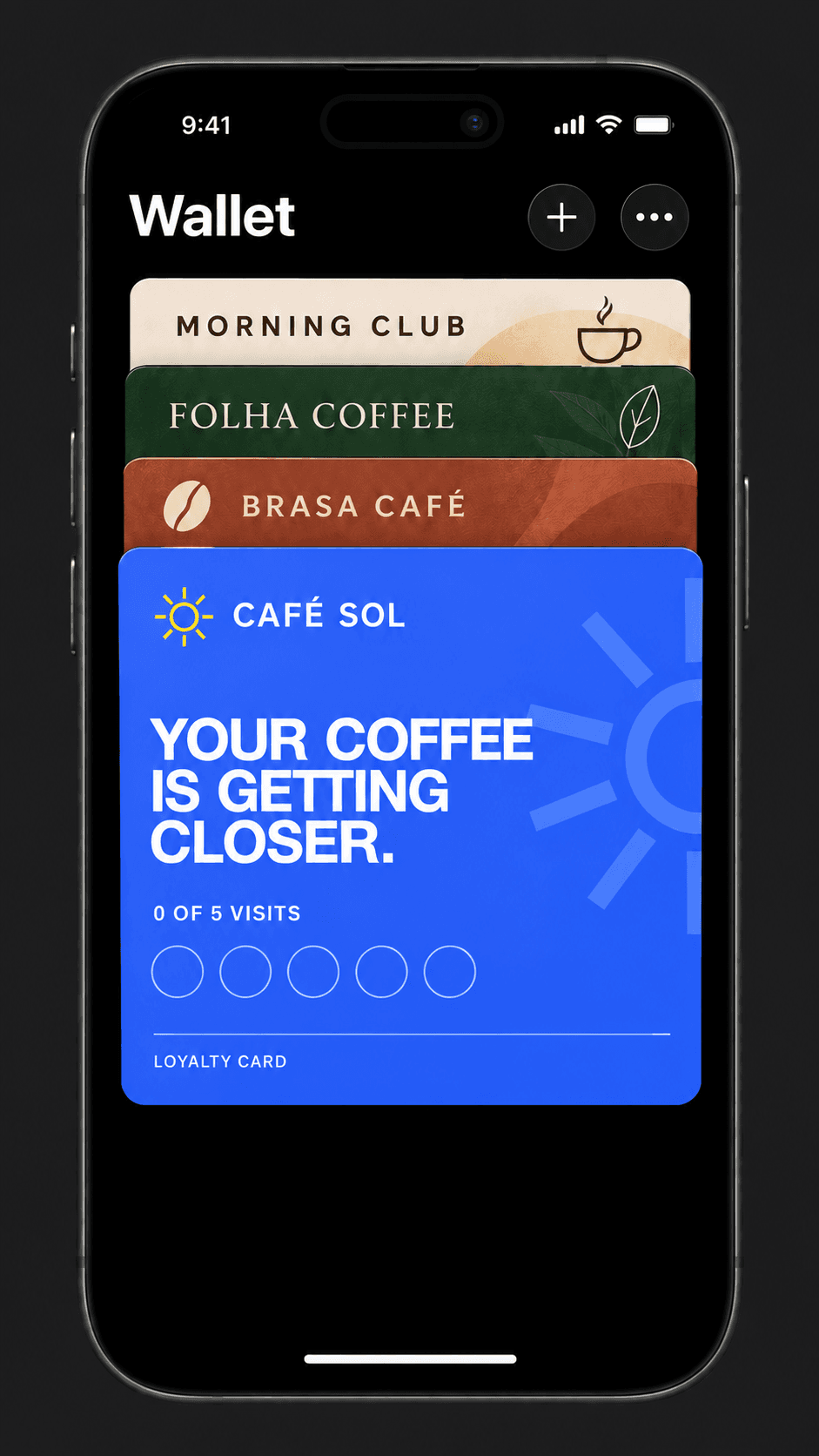
Each café gets its own card design — name, logo and colour. No shared template across businesses.
Your brand in their Wallet. More reasons to return.
Start free. No app for your customers. No paper cards.
One small moment at the counter puts a loyalty card where customers will actually see it again: in their Wallet.
Each café gets its own card design — name, logo and colour. No shared template across businesses.
Point the camera at the QR. The loyalty card opens right in the browser.

Collect visits. Enjoy your reward.
 Illustration · Wallet layouts vary by device
Once the card is saved, it lives with the cards they already use. The reward is there again when the next visit happens.
Customers choose the wallet on their phone and confirm. The card stays within reach for their next visit.
Try the Bloom Coffee sample before creating an account. Open it on your phone or scan the QR to preview the card and available Wallet options.
Pricing
From your first regulars to your next location. Find your fit.
For your first loyal customers.
A simple place to start
For loyalty that becomes part of your day.
Billed monthly
For a brand with more than one home.
Coming soon. Ask us about availability.
Everything a customer needs is already on their phone.
No. They scan your QR code, open the page and save the loyalty card to their Wallet.
They point their camera at your QR code, then tap the Wallet button on the page that opens.
Yes. Set up your business name, logo and colour in the merchant portal, then LoyPass creates the program page and QR code.
Yes. Every program includes a print-ready QR page for your counter, window or table.
Apple Wallet on iPhone and Google Wallet on Android. Customers use the wallet already on their phone — you do not pick the device.
Any path works: you reach out, they email you, someone refers them, or they sign up on this site. Every café gets the same self-serve setup with its own brand.
Collect visits. Enjoy your reward.
Illustration · Wallet layouts vary by device